kathy@kathyschrock.net

Thursday, January 29, 2009

Personal laptops on the school network


I have been noticing a lot more of our students are bringing their personal laptops to school. (I have not seen any netbooks yet, though.) The main reasons seem to be both for taking notes in class and for moving files onto a flash drive in order to use one of the school's computers to print their homework.

I began to think about allowing students onto the wireless network with their personal computers for both printing and for Internet access. In addition, they all have Google Apps for Education accounts and would be able to work in their online space. They would still be behind the content filter, so that would be covered. The only real problem I considered is that we would have to make it very clear to them why we only allow streaming at certain times of the day (lack of bandwidth).

I posted a quick note on Twitter, asking my esteemed PLN about the process at their school or district. I received 16 answers in about ten minutes (hardly a scientific sample) but I really just wanted to get a feel for what others are doing.

Results:
11 allow the use of personal laptops at least over the wireless network
4 do not allow the use of personal laptops
1 will be offering it soon

The interesting part was the anecdotal 140-character explanations. Here are a few.

_______________________

"Our district won't allow our teachers to connect laptops (purchased by the school) to connect to our network!"

"No official policy on it but the practice is to let students/teachers/staff/student teachers/outside consultants on network."

"We encourage, but do not yet require student laptops -- allow access to hot spots."

"Not allowing interfaces at present but anticipate allowing wireless interface in near future."

"We do, but there is a process in which they need to participate."

"We officially let kids on with personal laptops if they have testing on file that indicates the need. Unofficially- we let all."

"None of the 13 school districts allow any of their students OR teachers to hook their personal laptops to the school network."

______________________

I envisioned just giving students the wireless access code to use, but then, after surfing right through the WAP and the content filter with my iPhone to any site I wanted to visit, I realized that not all devices would be allowed to be on the internal network and the WAP code would have to remain a secret. I will do some more testing, but the iPhone seemed to go directly through the filter for some sites that I know are filtered out by the Sonic Wall subscription.

Just beginning to think about the possibilities....

Wednesday, December 31, 2008

7 Things You Don’t Really Need to Know About Me

Today I was tagged in a Twitter meme entitled "7 Things You Don't Really Need to Know About Me". I have been on the Web for so long, and never have hesitated to share, but here are some things that you might have missed!

1. I had perfect attendance in high school.
2. I was my high school mascot.
3. I watch Days of Our Lives every day (and that is not a cardboard cut-out!)
4. I have ridden motorcycles since I was 7 years old.
5. I maintain the Unofficial American Graffiti home page.
6. I maintain the Dave DeBusschere Sports Card site.
7. We live in a geodesic dome and our son's middle name is Buckminster.

I am passing this on to the following:
1.Meg Ormiston
2.Jim Wenzloff
3.Leslie Fisher
4.Lisa Thumann
5.Leigh Zeitz

Thursday, December 18, 2008

iPhone apps that sync


When the App Store opened for the iPod Touch and the iPhone, I first found myself drawn to the applications that took advantage of the great graphics, the well-crafted touchscreen, and the built-in accelerometer which enhances the use of some very cool apps!

However, as time progressed, I began to look at applications that would increase my productivity and also have a desktop component. I like a desktop component for both the ease of lots of data entry and for peace of mind, since the data is backed up on both the handheld and desktop devices.

One piece of software that I received as a demo, SplashShopper, created by SplashData, I have found easy-to-use and very useful!

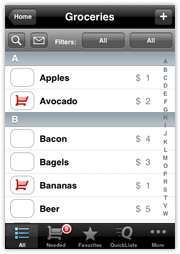
SplashShopper is just what it sounds like-- it is a shopping list application, and comes with pre-populated shopping lists for all types of things, including books, gifts, groceries, movies, etc. However, it is very easy to re-create these lists to meet your specific needs and even create your own list.

The lists, especially the grocery list, can get very detailed. However, I did not care about some of the fields, so I just entered the item, the broad category, and the aisle fields when entering my grocery store's items. I used the desktop component for entering all 174 items.

I love having my grocery list with me all of the time, arranged by store aisle, and only seeing the items I need! The iPhone makes use of this application so easy, since the touch screen is so responsive one can push the cart and use the electronic shopping list at the same time! (And, if you still like the paper list, you can email a text version of the shopping list to yourself before you go to the store!)

Kathy

Monday, December 08, 2008

Cool little photo scanner

Many years ago I had a stand-alone photo scanner, back in the days when flatbed scanners were really expensive. It worked (most of the time)! I find archiving old photos on a flatbed to be very time-consuming. Just recently, I ran across the Pandigital Photolink One-Touch Scanner. As you can see from the photo comparison, the scanner is very small- it is 6"x 2" x 1.5". It only can scan up to a 4" wide image, but it is perfect for the 4"x"6 photo size.

Pandigital Photo Scanner


Here's how it works. It comes with an SD card, but has a 5-in-1 card reader (Compact Flash-Type 1, MemoryStick, MS Pro, MS Pro Duo and DUO (with adapters), MMC, SD and all the little SD versions with an adapter, and xD (H-type and M-type) on the back side.

You just plug in the AC adapter, and scan your images through the scanner, one at a time, and they are saved on the card in an 1800x1200 resolution at 300dpi. It is speedy to scan multiple photos, and, although this is not a high resolution, the colors are true, and those old photos from the pre-digital camera age of the 60's, 70's and 80's look just great!

You can hook the scanner up to a desktop and it acts as a card reader, too, and you can easily move the photos off the memory card and onto the desktop for burning to your archival CD, posting to flickr or Facebook, or making your PhotoStory.

Here is an old photo I scanned and did not retouch. (This is from 1966, before I hit those awkward teenage years!) I intentionally chose one with a lot of reds to show that they did not bleed, as sometimes happens with that color. (Okay, this was also before I had any fashion sense, too, based on the colors I was wearing!)

Saturday, December 06, 2008

The Networked Student

Created in the style of the Common Craft videos (with permission) here is a well-done video about the networked student, Web 2.0 tools, and the networked teacher. Thanks to Wendy Drexler and her son for creating this!

Thursday, November 27, 2008

Living with the iPhone

Well, after living with the Apple iPhone for four months today, I have to say that I still love it! I can do most of what I need to do on a daily basis and the interface cannot be beat!

It was not until the App Store launched, and I installed the OS upgrade on my iPod touch to try the App Store, that I realized the power of having a well-engineered, converged device. I have been a smartphone user for years (both Palm and Windows Mobile) and there is truly no comparison. I have been following the other new devices, like the Android and Storm, and do not feel a bit of techno-lust!

The only downside is the poor battery life. I know I can shut off some functionality to prolong the battery life, but that is an inconvenience. (However, I guess it is MORE of an inconvenience to have no battery life left!) I have just purchased a small battery life extender (Kensington Mini Battery Extender) and that should solve my problem.

There are all types of apps for the iPhone, and many of the ones that I have installed have been free and low-cost. Some of my favorite add-ons include:
  • Twitterfon: for keeping up with my tweeting colleagues
  • MobileFiles: read-only access to my iDisk files
  • Google: text search and the great new voice search functionality
  • MightyDocs: read-only access to all my Google docs
  • YouNote: write, draw, or record a to-do for yourself
  • Pandora Radio and AOL Radio: two different types of streaming radio
  • GPS Tracker: open it up and family members can follow your whereabouts
  • iWant: based on your current location, find local essential services
  • Ruler, Compass, and Dual Level: handy tools to have with you at all times
  • AirMe: send your photos taken with the phone right to the Web
  • Panolab: create a panoramic photo with the iPhone
  • fring: access to Skype
  • Google Earth: it is amazing how well it can be used on the iPhone
  • HanDBase: the great database program now for use on the iPhone
  • iTalk: an easy-to-use voice recorder that can sync with your computer
  • Say Who: voice-dialing program
  • SportsTap: easy access to sport scores of all types
  • i.TV: based on your location, get the TV show lineup
  • SnapTell: take a photo of a book, CD, or DVD cover in the store and get pricing
  • Facebook and AIM: I could not be without them
  • SearchMe: a search engine that returns "coverflow-like" results
  • Games that take advantage of the touchscreen and the accelerometer like iBowl, TapTap Revenge, magic8Ball
If you have an iPhone or iPod Touch and want to share your favorite apps and a short description, please do!

Update 12/6/08:
I have purchased Tweetie for using Twitter on the iPhone. It is a full-featured Twitter client that is very easy to use and parses well on the device.

The Kensington Mini Battery Extender arrived it and works very well! First it charges up the device, and then, when you use the iPhone, it supplies the power until it runs out of power and then you start using the iPhone battery again.

Here is a list of 50 iPhone apps for education that came out right after this post.

Monday, October 27, 2008

Macbook Unboxing

My new Macbook after I left work on Thursday to drive to Tech Forum NE (which was great, by the way!)

Many of you have asked for photos of the unboxing, so, if you are interested, they may be found in a Flickr set here

Sunday, October 26, 2008

Web 2.0 Tools Database

I signed up for blist, an new online database tool today. I created a database but kept it private. Apparently, when I chose to post it to Blogger, even though I received a message that it did not work, it DID work, but, of course, no one could view it because it was private! (It was going to be a place for teachers to enter their favorite tools.)

I have to work on figuring out how one offers the entry form, not the back end data. Creating databases is simple...figuring out how to share the entry form, not so much.

I may just do it in Zoho or Google Forms if I cannot figure it out.

Kathy

Sunday, October 12, 2008

Digital Natives, Digital Immigrants, and Digital Pioneers


I have long bristled at being called a "digital immigrant". I know the difference between the understood explanation of the "digital natives" and "digital immigrants" as outlined by Marc Prensky.

I did not grow up with technology. It grew up with me, and I was there every step of the way. I think those of us who have been there since the beginning, and have adopted each technology as it came about, should not be called digital immigrants. I do not turn to the printed manual first. I always choose reputable Internet sites to locate information. And I do speak the correct language (and still do not accept Google as a verb!) There are very few technology skills that are foreign to me.

I want to be in a third category of technology users called "digital pioneers". This group of users grew up as technology grew up. This group of users has mastered both the skills (learned from years of technology risk-taking and experimentation) and the processes (learned from the real world and the online world) of information literacy and choosing the correct tool for the task.

These users are the technology mentors and evangelists in the education field and are very passionate about the topic. They are constantly looking for new and old technologies that will support teaching and learning in a meaningful way and they always share their findings with others. There will only ever be a finite group of technology pioneers since, by the definition of growing up as technology grew up, the digital pioneers would have to be 50 years old or older at this point.

Many so-called digital immigrants, teachers who came later to the technology arena, are doing a wonderful job infusing technology meaningfully into teaching and learning. These tech-savvy educators are teaching to the current generation of so-called digital natives in ways that support these students' varied learning styles.

But please call me a "digital pioneer".

Sunday, September 14, 2008

Fun with photos...


I used one of the cool options on Dumpr for my Facebook icon and lots of people have asked about it. I discovered it a while ago and have been meaning to share.


Dumpr is an easy-to-use site for creating fun photos! It would be a great site for students to use for their "about me" slide in a presentation. No registration is required to use the site to upload an image and download the project.

Sunday, September 07, 2008

Fax Machines....not!

I have always disliked the fax machine. It seems like old technology that is past its prime at this point. However, since my husband and I both need to send and receive faxes, it was a necessity to have one in the house and on its own phone line.

Over the past few years, the number of junk faxes that have come in, wasting our ink and paper, has become so overwhelming that we keep the machine off unless someone notifies us that they need to send a fax. It kinda defeats the purpose.

Back in the old dial-up days, I tried to use the fax option, via the modem, that came with Windows, but that did not work very well. Recently, I decided to see if the Web-based fax services had come of age yet.


Well, guess what? They really have! After some research, we went with Faxage. They ported our existing Verizon fax number over to their service so the fax number remained the same. The company communicated with us every step of the way-- they were great!

The system allows us to set up fax folders for all of us in the family, we can each have our own fax cover sheet, and we are notified via email when a fax comes in (and the fax is attached to the email for a quick review). If it is a junk fax, it is a simple delete! The faxes are kept in PDF format within their system and are very readable.

Of course, when sending out a fax, if something is not already digital, we have to scan it to the computer, but it really is not troublesome.

The option we chose was $7.95 per month for 150 faxes. We are saving the $24 for the phone line and $10 for the long distance service per month on the line, AND our ink and paper is not being wasted by junk faxes. I think it is a win-win situation!

Thursday, September 04, 2008

New netbook on order!

Netbooks are the new "little" laptops that are all the rage. There are those that have 8.9" screens, 9" screens, and 10" screens. There are those that run Linux and those that run Windows XP Home. There are those that have solid state drives (SSD) which have no moving parts and those that have regular hard drives. There are white, black, pink, green, red, and blue versions of netbooks available. They have wireless, Ethernet ports, multiple USB ports, VGA-out and some have card readers and built-in video cams and mics.

I have had two since this class of computer came out. I started with the 7" Linux-based Asus EEE PC which was a swift little machine with a great suite of tools. I then moved to the 7" XP Home version of the EEE PC, but the SSD was not large enough for the apps I wanted to run. I fell in love with the 8.9" EEE PC 901, but, by that time, there were starting to be more of these on the market and at good prices.

I toyed with the idea of the MSI Wind (10") for a while since it had a bit larger keyboard than the EEE PC. The price was right, but the overall device was kinda large for my idea of a netbook.

I liked the HP Mini-note 2133. It had a great keyboard, but by the time I spec'ed it out to have the OS and hard drive I wanted, it was too pricey.

The Dell Inspiron Mini 9 came out today, but it is not available with any more than a 16GB SSD.

I have been reading great reviews of the Acer Aspire One, and the only negative I could find was it only had a 3-cell battery. The price was right, the keyboard was largish, the size was right, the camera was 1.3 megapixel, it came with a regular-sized hard drive with XP Home, and had all the best of all the devices. It does not have Bluetooth or an N-standard wireless protocol like some of the others though, but this was not a deal-killer for me.

Today it showed up on Amazon with the 6-cell battery and even a larger hard drive than the previous model, in white or a sapphire blue color (if you care about things like that), and at the price of the earlier version...w00t! I ordered the blue initially, but after reports of its "smudginess" and having to type on a black keyboard, I decided on the white one.


It is on order and I will let you know what I think when it arrives in a few weeks! (Hey, the Aspire One even has its own Facebook page!)

UPDATE: 9/9/08
For those of you who want a little larger netbook with 10" screen, the Asus EEE PC 1000H is available at mwave and Amazon for $449 with its price drop yesterday. What you get for the $50 extra dollars is a 10" matte screen, a tad more battery life, N networking and Bluetooth. What you lose is the smallish size of the Aspire, half the hard drive space (160GB on the Aspire one, 80GB in two 40GB partitions on the EEE PC 1000H), and the lighter weight (the EEE PC weighs one pound more than the Aspire One). However, the Asus EEE PC 1000H gets great reviews and would be a nice option for someone, too!

I decided to stay with the Asus Aspire One-- I want white, a glossy screen, and the smaller form factor, but I was tempted!

UPDATE: 10/17/08

The 6-cell Acer Aspire One finally came today and it is everything I expected! The screen is beautiful, the keyboard has large enough keys to touch-type comfortably, and it seems pretty speedy. Since I ordered it, there have been new versions of other manufacturers' netbook models, but I kept comparing and came back to the Acer Aspire One as my netbook of choice.

With 1 GB RAM, a small form factor, a 160 GB hard drive, and Web cam and external mic, it is a little powerhouse! I have not tested the 6-cell battery life yet, but it is supposed to last 5 or 6 hours. I will be taking it to conference next week, and the real test is always how it performs as a presentation machine!

Thursday, August 07, 2008

Working smarter

I realize I have not posted to the blog for a while. I have been micro-blogging with Twitter and Plurk and using Facebook to keep in touch with many of my ed tech colleagues. I also realize that information that normally would have been shared via blogs is getting lost in the "Twitterverse".

I have spent the last few weeks really working on making the Mac my main platform. (All my machines are Intel Macs which are dual-platform.) Those of you that know me know I am a die-hard Windows user and have been called the "terminally left-brained learner". Until OS X, I really was not comfortable using the Mac operating system and still had not spent a lot of time on that side of my computers.

All that changed two weeks ago when I moved to the iPhone 3G and MobileMe and also purchased a new iMac for home. I know there has been some bad press about MobileMe, but I have had nothing but success with everything I have done. In the past, I never had the luxury of an Exchange server and had limited access to IMAP. (IMAP allows one to keep all machines and devices in sync for email, contacts, and calendars, among other things.)

I took the plunge and moved my stand-alone Outlook folders of info up to MobileMe for my personal account, and moved my work folders to our gmail-hosted apps mail for our school domain. I also now am working on the Mac side of the machine for most of my tasks, with brief forays to the Windows side for the use of some applications.

What a difference this has made in the way I do business! IMAP is the greatest thing! No matter what device I use, I have access to all of my folders of data, so I no longer have to say "Oh, that is on my work computer and I can get it for you tomorrow."

In addition, everything is in sync all of the time. I guess maybe I have come late to this party, and all of you already have been conducting business this way for while. In any case, I am much more productive since I can easily use the iPhone for almost everything I need to do when away from the computer and I have all my data at my fingertips all of the time

I just re-read this series of articles from the Economist today, since we are studying it as an administrative team at a retreat next week. I suggest you give it a read if you have a chance. It is fascinating to think about the changes that ubiquitous access to the Internet is starting to bring to the work force.

Kathy

Friday, July 11, 2008

Pic on the bull


Just found the Flickr site with all the NECC-goers riding the mechanical bull in the exhibit hall. It is pretty funny to run the entire thing as a slide show!

http://www.flickr.com/photos/genevalogic/

We are such geeks!

Kathy

Wednesday, July 09, 2008

Google's Lively-- another virtual world

Maybe it has been around for a while, but I just tried Google's Lively virtual world this morning. Second Life it is not, nor does the client currently work on the Mac (note on the site says Google Labs is working on other clients), but it runs within the browser on the Windows machine very well and does not seem to take a super-machine to work it. (Maybe it might even work on the MSI Wind or the eeePC!)

Because of my Second Life experience, I had no problem creating and editing my avatar, creating a room, and decorating it. It will be interesting to try this out with some educators (and, if we make a private room) with some of our students, if that is possible at some point.

Here is my room "K-12 Educators". I cannot seem to find it in the search, but the URL, if you are trying Lively out, is http://www.lively.com/dr?rid=-5452546736007296038.

Monday, July 07, 2008

Misunderstanding at NECC?

Dear All,

It has been called to my attention that something I talked about in my presentation last week at NECC has been misunderstood. When stating that the ISTE docents had been "coerced into service" with the promise of a "virtual pat on the back", in addition to talking about how they are always there to help new users get acclimated, I was intending to point out that they are all volunteers.

They help out in Second Life because they are the type of educators who will help out in real life, too-- not for money or fame, just because it is the right thing to do. The ISTE community in Second Life has flourished in large part because of these educators.

I am sorry for any misunderstanding and I am sorry my words were misunderstood. Those of you that know me in real life, know that I would never belittle other educators. Those of you that just know me in Second Life might not realize that....

Kathy

Sunday, July 06, 2008

Educators wherever we are...


It is always interesting coming home from NECC. I spent four days talking to hundreds (if not thousands!) of like-minded educators who are engaged and excited about the current and upcoming possibilities of technologies to support teaching, learning, and professional development. I had one-on-one conversations with many dedicated educators who were there to learn, and I loved the time I could spend with them, learning what they get excited about.

On the trip home, I still found myself talking to everyone. I ran into some NECC-goers in the airport, and we discussed our favorite sessions and the new things we saw. After our little group broke up, a businessman next to me started asking me about my laptop. I was more than happy to show it off.

On the plane, I sat next to a retired Army general who was very interested in the Kindle, so I continued to "spread the word". At the sandwich shop in Atlanta's airport, I was using my phone (HTC Touch) to check my email, and three employees came out from behind the counter to take a look at it and learn more about it. On the bus home from Boston's Logan Airport, I had to tether the laptop to the phone to find a hotel reservation for the woman in the seat next to me, since the amount of traffic we encountered on the 90-mile trip caused her to miss both the last boat and plane to Nantucket, where she was planning to spend the holiday weekend.

We talk about engaging our students and getting them up-to-speed on the 21st century skills. I guess I am figuring out that if we don't get the rest of the current workforce and the employers of tomorrow up-to-speed, too, our students may not get the chance to utilize these skills.

Be generous with your time with strangers. Those of us that tote the "gadgets" need to explain the possibilities to others if they are interested. An educator is an educator wherever we are!

Kathy

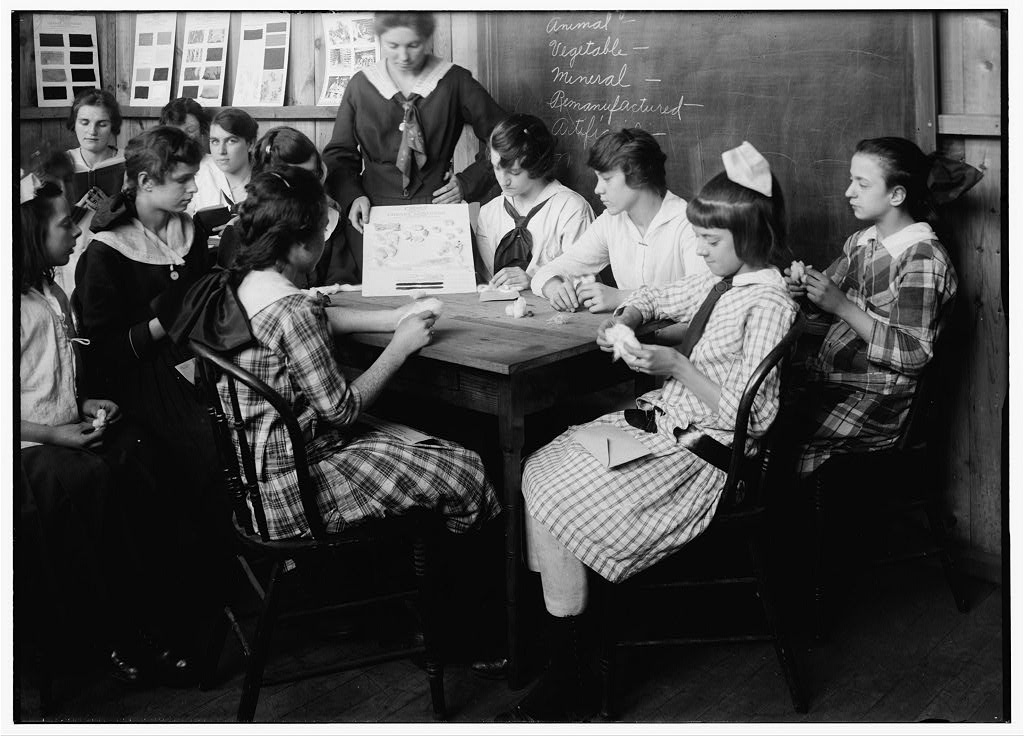
Photo courtesy of the American Memory Collection, Lewis Wickes Hine, Photographer.

Wednesday, July 02, 2008

NECC Report #4: Day 3

The Innovation Exchange today went swimmingly! The high-level group of 150 educators heard a wonderful keynote by Dr. Richard Baraniuk who provided an in-depth overview of his passion and his project, Connexions. This was followed by five short presentations and breakout sessions dealing with netbooks (like the Asus eeePC and HP Mininote) used for a portfolio project (Kurt Madden), online synchronous professional development tools such as Adobe Connect Pro (Lee Keller), an introduction to three unique Web 2.0 tools (Leigh Zeitz), the innovative use of the Nintendo DS in the classroom to support teaching and learning (Camilla Gagliolo), and my presentation about the use of portable applications on a USB flash drive (and a little about the Kindle thrown in, too!)

In the afternoon, I attended the ISTE-led session dealing with ICOT, the ISTE Classroom Observation Tool. I will have to investigate it more on my own before giving you more information.

The closing keynote was crowded, and my favorite part were the video interviews with teachers presenting poster sessions about global education projects. Without fanfare, they described the meaningful work they were doing in their classrooms. Kudos to all of them!

Once they are posted, many of the spotlight sessions, the keynotes, and selected other sessions may be found on this page.

Thanks to TCEA for hosting the conference this year and thanks to the ISTE Conference Committee and staff for another job well-done!

NECC Report #3: Day 2

Today was another info-packed day. I watched the keynote from outside of the ballrooms with many others and it was great! I continued my journey through the entire exhibit hall from beginning to end and learned some new things from vendors. I then conducted my presentation in the big theater. I felt it was well-received and it was fun to be in that venue with so many educators! You can find the links and see the presentation as a Picasa Web album or a PDF handout here if you are interested.

Later in the afternoon I went to Hall Davidson's presentation about the potential of cell phone use in the classroom. He gave an excellent presentation with practical sites and good ideas for the use of this technology that almost every student has in his or her pocket! He does not have the presentation posted yet, but it will show up here when it is.

The NEISTE get-together was fun and I visited with old friends and made some new ones. This was followed up by a quick stop at the DEN event with tons of people, and then a quiet dinner with some of my DoDEA friends.

Today is the Innovation Exchange from 8am until noon. More later....

Kathy

Monday, June 30, 2008

NECC Report #2: Day 1

I started off the day with Joyce Valenza and we visited a press suite where we learned more about PBS TeacherLine's new and upcoming professional development options and met with Discovery Education and Wilkes University to talk about their joint online master's degree in Instructional Technology.

I then worked with a group of teachers, in the hallway, on the floor, on Moodle strategies (because we were blocked out of a workshop that was full) and it was a great collaborative time.

I went to the exhibit hall to visit the vendors I wanted to catch up with, including Asus, so I could actually touch the new eeePC 901. It is sweet, out in 7 days, and all I have to decide is to get glossy black or glossy white. (The black one is cool looking!) Going back tomorrow to do the entire hall and see some new things!

I rode the bronco while I was in the hall, too.


Then I went to a Thinkfinity session with Chris Dede and Danny Edelson entitled "The Learning Multiplier: Using Multi-Device Environments to Engage Students". It dealt with innovative and practical practices for the use of smaller devices to conduct real-life data-gathering and research.

I ran into tons of people and friends, and had a good time networking, of course!

I finished up the day at a Google Apps presentation put on my Cristin Frodella and Danny Chang where they provided a very good overview of Google Apps for Education. We use it in our district, so I did not learn a bunch, but they did a very good job providing information for the audience members who were not using the suite of tools.

On to the MICCA/VSTE reception tonight and then getting ready for my talk tomorrow!